Tag: technology

  • Malaysia Nokia N9 Price Announed And Available October 2011

    Screen Shot 2011-09-14 at 4.42.13 PM

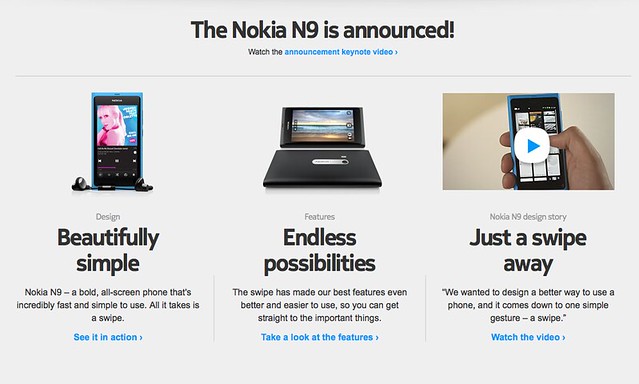
    Malaysia Nokia N9 Price Announed And Available October 2011Nokia Malaysia has recently launched the Nokia N9 officially. Nokia N9 is the first MeeGo (MeeGo is an operating system like Android and iOS) phone and probably the last because Nokia is moving towards Windows Phone and is set to launch somewhere early October 2011.
    110622-nokia-n9-01

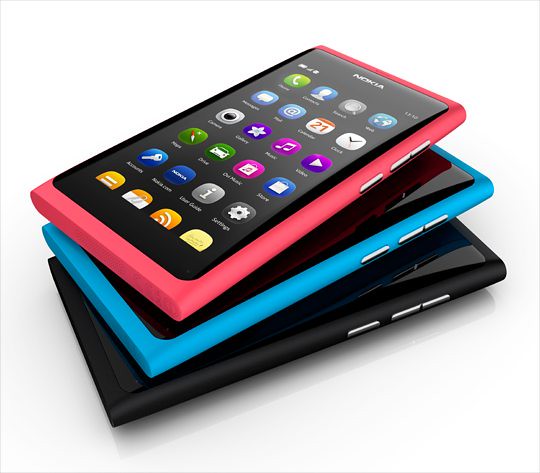
    During the recent launch event, Nokia announced the price and availability in Malaysia. It’s retailed at price:

    • Nokia N9 16GB – RM1799
    • Nokia N9 64GB – RM2088
    • *Available in 3 colours – black, cyan and magenta.

    The price is pretty acceptable and there’s no news about 32GB, it’s a big bump up to 64GB after the 16GB version which provide you plenty of mobile storage on the go.

    Maxis, DiGi and Celcom will offer package for the Nokia N9, but details are yet to available.

    Are you interested in the MeeGo Nokia N9? Personally, I am waiting for the next iPhone.

  • Big Big Cursor Stylus For Your iPad

    [youtube http://www.youtube.com/watch?v=40G3WkTaGN4]

    Big Big Cursor Stylus For Your iPad – I found a very cool thing for your iPad 2. Instead of having a normal pen stylus, you can check out the Big Big Cursor stylus which looks pretty cute and cool for your iPad. It makes using iPad a new experience with the special big stylus which actually shaped like the mouse cursor on your computer screen.

    Big Big Cursor Stylus For Your iPad

    iPad actually built without the need of stylus, but then don’t you think with a stylus makes life easier using the iPad like drawing and taking notes?

    Screen Shot 2011-09-14 at 4.17.52 PM

    Well, you might think that it’s hard to bring around but you have no worry because it’s magnetic and sticks on your magnetic iPad 2 or you can just adhere it to the refrigerator as decorative purpose. No luck for old iPad 1 user like me.

    Check it out <a class="wpGallery mceItem" title="gallery2" href="http://www.bigbigcursor.com/#!prettyPhotohere.

  • How to read Chinese in PPS.tv

    How to read Chinese in PPS.tv – PPS.tv is a great Chinese P2P video streaming program, there’s so much show to watch on demand, from Chinese show to American show to Japanese show and more. It’s fast and it’s clear but it’s a Chinese program.

    How to read Chinese in PPS.tv

    A lot of friends have been asking me why they can’t read the word in PPS.tv program, it shows up as square square in the left sidebar. At first I got this problem too, after searching around the Internet, I still got no solution, so I went to mess around with the setting and finally I got it works.

    Fullscreen capture 6162009 102253 PM.bmp by nicholaschan.

    It works the same on Vista and XP. Go to the Control Panel and look for Regional Language Setting.

    Fullscreen capture 6162009 102232 PM.bmp by nicholaschan.

    There’s 4 tab on Vista and 3 tabs on XP in this window. Go to the last tab, then change the Language for non-Unicode program to Chinese (PRC). Restart your computer and you are ready to watch your favourite show now.

    Good luck.

WP2Social Auto Publish Powered By : XYZScripts.com