Category: Tech

  • Big Big Cursor Stylus For Your iPad

    [youtube http://www.youtube.com/watch?v=40G3WkTaGN4]

    Big Big Cursor Stylus For Your iPad – I found a very cool thing for your iPad 2. Instead of having a normal pen stylus, you can check out the Big Big Cursor stylus which looks pretty cute and cool for your iPad. It makes using iPad a new experience with the special big stylus which actually shaped like the mouse cursor on your computer screen.

    Big Big Cursor Stylus For Your iPad

    iPad actually built without the need of stylus, but then don’t you think with a stylus makes life easier using the iPad like drawing and taking notes?

    Screen Shot 2011-09-14 at 4.17.52 PM

    Well, you might think that it’s hard to bring around but you have no worry because it’s magnetic and sticks on your magnetic iPad 2 or you can just adhere it to the refrigerator as decorative purpose. No luck for old iPad 1 user like me.

    Check it out <a class="wpGallery mceItem" title="gallery2" href="http://www.bigbigcursor.com/#!prettyPhotohere.

  • How to read Chinese in PPS.tv

    How to read Chinese in PPS.tv – PPS.tv is a great Chinese P2P video streaming program, there’s so much show to watch on demand, from Chinese show to American show to Japanese show and more. It’s fast and it’s clear but it’s a Chinese program.

    How to read Chinese in PPS.tv

    A lot of friends have been asking me why they can’t read the word in PPS.tv program, it shows up as square square in the left sidebar. At first I got this problem too, after searching around the Internet, I still got no solution, so I went to mess around with the setting and finally I got it works.

    Fullscreen capture 6162009 102253 PM.bmp by nicholaschan.

    It works the same on Vista and XP. Go to the Control Panel and look for Regional Language Setting.

    Fullscreen capture 6162009 102232 PM.bmp by nicholaschan.

    There’s 4 tab on Vista and 3 tabs on XP in this window. Go to the last tab, then change the Language for non-Unicode program to Chinese (PRC). Restart your computer and you are ready to watch your favourite show now.

    Good luck.

  • Watch TVB Series On PPS Without Playlist / 如何看PPS港台剧场

    6

    I was always a fan of the Chinese TV streaming software PPS.tv but not until lately that they started to remove some channel and playlist like the American TV Series (歐美劇場) and now the Hong Kong’s TVB TV Series (港臺劇場). It’s quite sad that I can’t watch most of my favourite show on it.

    This is probably because of copyright issue with the software but I don’t really care, I just want to watch TV series because my country, Malaysia is slow.

    Lately, I have found a solution to watch TVB series on PPS even the playlist is not showing, thanks to RYANTCWBBY.

    Screen shot 2011-04-20 at PM 09.09.12

    Actually RYANTCWBBY is not a plugin or software, it’s a website that provide the secret link to the TVB series playlist in PPS. Basically you don’t really update your playlist but you go to the website to download the link and open on PPS. Here’s the tutorial.

    1. Go to RYANTCWBBY website (Scroll down for new link). Then look for the available TV series on the sidebar that look like this.

    5

    2. Let’s say I want to watch the new 點解阿SIR係阿SIR, I click on the link picture then I will be brought into the other page. Scroll down and you will see the below screen shot. Select your option, IE-based is for Internet Explorer user and Non-IE for Firefox and other user like me.

    Screen shot 2011-04-20 at PM 09.09.36

    3. Then a pop-up will ask you to launch PPS TV software. No need to download anything. That’s all. Simple enough.

    Screen shot 2011-04-20 at PM 09.09.53

    4. Finally, start watching your TVB, streaming from PPS server, but without finding it in the playlist.

    Enjoy TVB series and thanks to RYANTCWBBY. =)

    UPDATE! RYANTCWBBY CHANGED TO PPSX

    New update for the site. RYANTCWBBY has change their link to PPSX.co.cc. Be sure to change your bookmark. =)

    Screen shot 2011-05-19 at PM 09.11.32

    It’s the same thing and happy watching! =)

    1. Go to RYANTCWBBY website. Then look for the available TV series on the sidebar that look like this.
  • How To: Install Facebook For iPad App

     How To: Install Facebook For iPad App

    How To: Install Facebook For iPad App – Facebook has released a leaked version of Facebook for iPad app in July. It was blocked by Facebook in less then a day and I couldn’t login to the Facebook for iPad app anymore. However, I have found a solution on how to access it and have been using it for a few days already.

    Some have ask me where to download the Facebook For iPad app but then you don’t really need to download it as you already have it if you have the latest version of Facebook for iPhone on your iPad. You just need to do some tweak to change your Facebook to the iPad version.

    One thing you must have is a JAILBROKEN iPad. Follow the instruction below to get your Facebook for iPad app. (Thanks to TNW).

    1. Check for updates to make sure you have the latest version of Facebook from the App Store. Also, backup your iPad in iTunes.
    2. Visit jailbreakme.com from your iPad. Jailbreaking your iPad is legal, but voids your warranty if you bring your iPad into an Apple Store. It’s easy to undo if need be. Just pug your iPad into your computer and restore it from your previous backup. (If you are running iOS 4.3.3, this will NOT work.)
    3. Once the jailbreak process is complete, tap on Cydia, that was just installed on your iPad.
    4. Tap the Search tab in Cydia and search for iFile. Download it using the button in the upper right hand corner.
    5. Once iFile installs, open it up, and navigate to the “var” folder of your iPad. Then go to “mobile,” then “applications,” then “directory.”
    6. Click the settings gear icon in the bottom navigation bar and turn “Application Names” to “On.”
    7. Open the Facebook folder within the “directory” folder you’re inside of. Once you’re inside the Facebook folder, open Facebook.app.
    8. Look for the info.plist file, then open it. Pick “Property List Viewver” to view the hexadecimal settings for the Facebook app.
    9. Look for the UIDeviceFamily field and select it.
    10. Delete the 1 you see, and put a 2 in instead. Tap “Done” to complete the process.
    11. Hold down your power button to reboot your iPad.
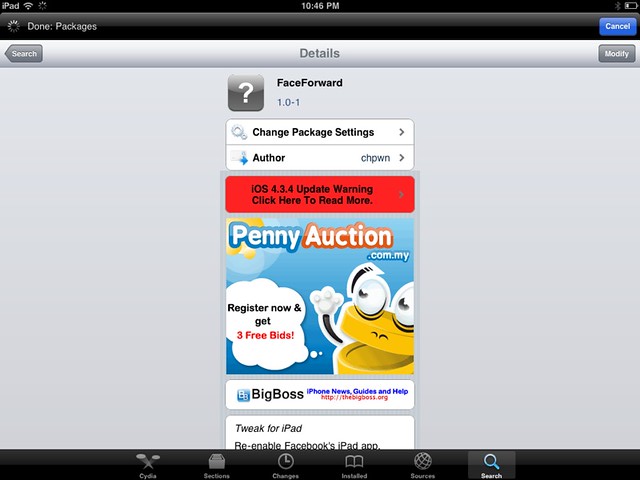
    12. Then go to Cydia again and seach for Faceforward.
    13. Download and install it.
    14. Launch your new Facebook app and you are now in.


    Cydia hack to allow you to login to Facebook.

    It’s a little bit buggy, Page is not working as it crashes but overall it looks good. But if were to compare to MyPad, MyPad seems better than this. Tell me what do you think after trying it.

  • Free iSMS, threaded text message on Nokia S60

    Free iSMS, threaded text message on Nokia S60

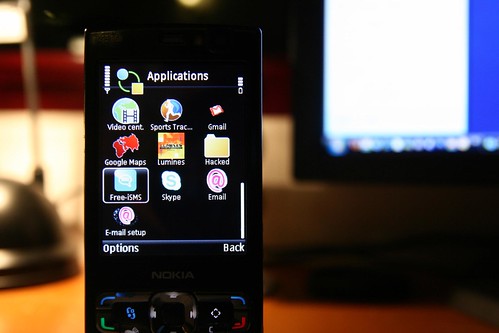
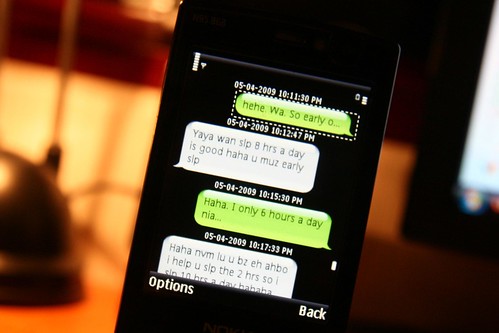
    Free iSMS, threaded text message on Nokia S60 – I just installed a new software into my N95 8GB S60 platform, it’s the Free iSMS. This makes text messaging funner and more addictive than ever with the threaded text message that looks like on the iPhone SMS system.

    IMG_0774

    I have been looking for such thing for some times and finally I have found it and it does really exist by the way. It threads messages of the same sender into speech bubble so it looks like we are instant messaging to each other.

    You still can access your phone inbox, but I tend to stick with this most of the time. I even put a shorcut on my standby screen for Free iSMS.

    Warning: Addicted to text messages will boom your phone bill. Be sure to check out for unlimited text messages plan like Digi Prepaid Super SMS. =) (free promotion for Digi because they are doing a good job on this.)

    Download here. [For Symbian S60 v3 and v5]

  • How To Show American TV Series Playlist On PPS / 如何看PPS欧美剧场

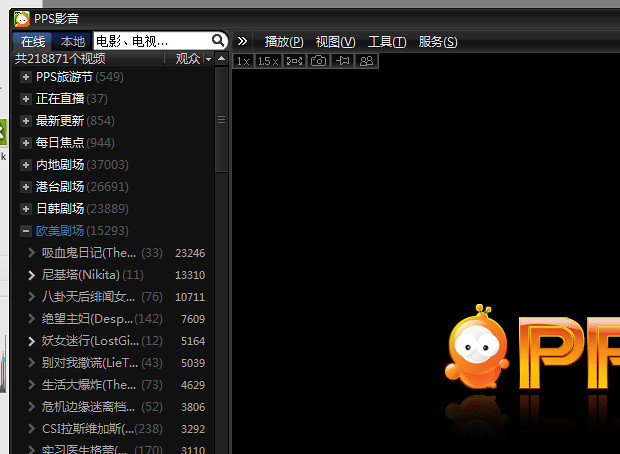
    How To Show American TV Series Playlist On PPS / 如何看PPS欧美剧场 – Due to some copyright infringement, the Chinese top video-on-demand streaming software, PPS.tv removed the playlist of American TV Series (欧美剧场). After some workaround and searching on the Internet, there’s actually a way to go around it and re-show the playlist.

    How To Show American TV Series Playlist On PPS / 如何看PPS欧美剧场

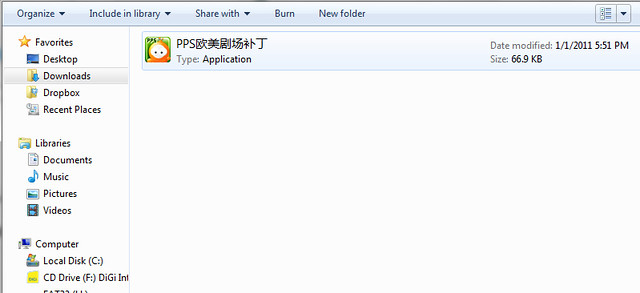
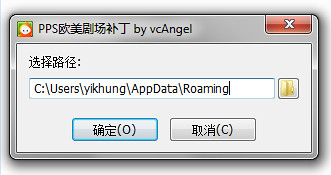
    Just download the patch here. Extract or unzip it, then just run the patch.

    Fullscreen capture 1232011 93259 PM.bmp by nicholaschan

    Press on the first option which means confirm, then the playlist will be back into your PPS.tv again.

    Fullscreen capture 1232011 93330 PM.bmp by nicholaschan

    Simple as that and they are back. =) Good luck, I don’t know whether PPS.tv will fully removed that or not, so for the mean time, let’s use the patch first.

  • Natnatvip.org, Watch Free Taiwanese, US, Japan Drama and More TV Show

    Natnatvip.org, Watch Free Taiwanese, US, Japan Drama and More TV Show

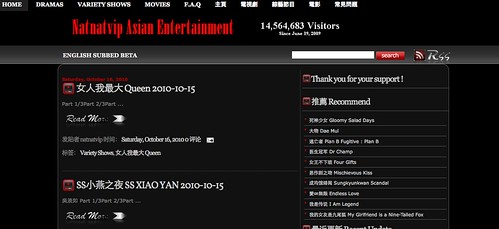
    If you lives in the western country when Chinese television show is limited to your or you are behind a private network which Chinese P2P TV streaming is not available to you, you can check out Natnatvip.org which is a site where they compile all the Taiwanese drama and show for your watching. They uses Youtube as the player and some other Internet flash player and is played part by part. Of course the quality is not as good as on the TV but still is a good place for you to check out Chinese show.

    Screen shot 2010-10-16 at PM 01.19.40

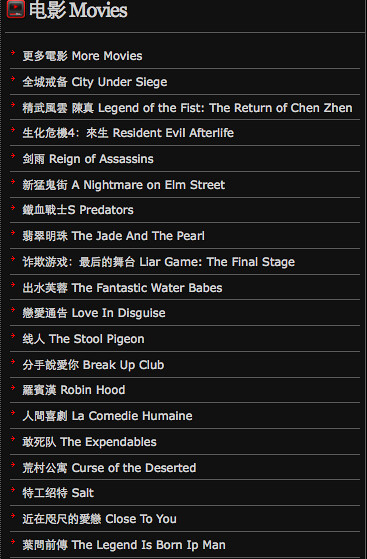
    Besides Taiwanese drama and show, there’s also movies, Japan and Korea drama and also US TV series. If you have a fast connection, this site is wonderful for you.

  • 酷我音乐盒 Ku Wo Music Box, Free Chinese Music Streaming and Downloads

    酷我音乐盒 Ku Wo Music Box, Free Chinese Music Streaming and Downloads -Chinese really makes good pirated stuff, pirated phone, pirated DVD, fake Blu-Rays. They love making copyright infringement stuff but somehow, everyone like it. At first, it was PPS online streaming player, which streams whatever movie and TV series.

    Fullscreen capture 5192010 12259 PM.bmp by nicholaschan.

    Now I found another one called 酷我音乐盒 Ku Wo Music Box. It streams Chinese music and music of other languages too. You can either stream it or download it into your computer and listen it later. Rocks man.

    Fullscreen capture 5192010 12304 PM.bmp by nicholaschan.

    You can find almost any music there. I use it to stream Chinese music mostly.

    Fullscreen capture 5192010 12310 PM.bmp by nicholaschan.

    And it has live lyric synced with the music so you can singalong.

    Fullscreen capture 5192010 12346 PM.bmp by nicholaschan.

    Another feature is streaming music video of a song, but then not all song has music video streaming, some only. It still very cool though. I like this program.

    So sorry for English-educated or people who doesn’t read Chinese, same like PPS, the whole software is in Chinese. More Chinese software to be introduced soon. If looking from the legal side, this software is against the copyright law, but no one cares, yet. Use it wisely, for personal use and not for commercial. =)

    Download here.

  • How To: Show Battery Percentage Indicator On iPhone

    How To: Show Battery Percentage Indicator On iPhone

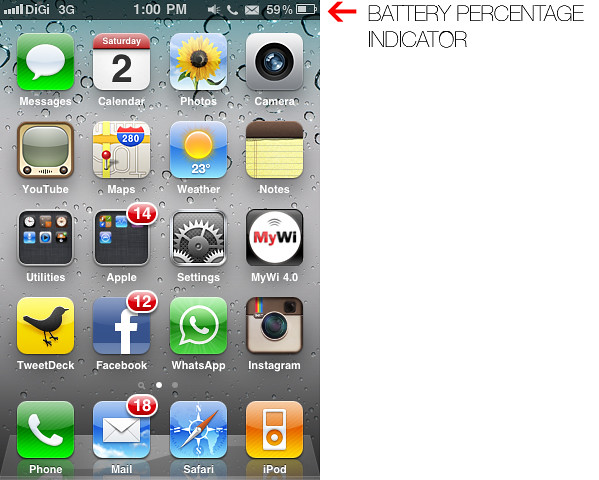
    How To: Show Battery Percentage Indicator On iPhone – iPhone’s battery runs out quite quickly when running different apps and usage. Having a percentage indicator for the battery icon on the top right corner of the screen gives you better indication on how much battery you have left and give you a guide of when it will be running out and when to charge your iPhone.

    By default, the percentage indicator is not turn on and you have to turn it on in the Setting.

    Here’s HOW you can turn on the percentage indicator for your iPhone.

    IMG_1132

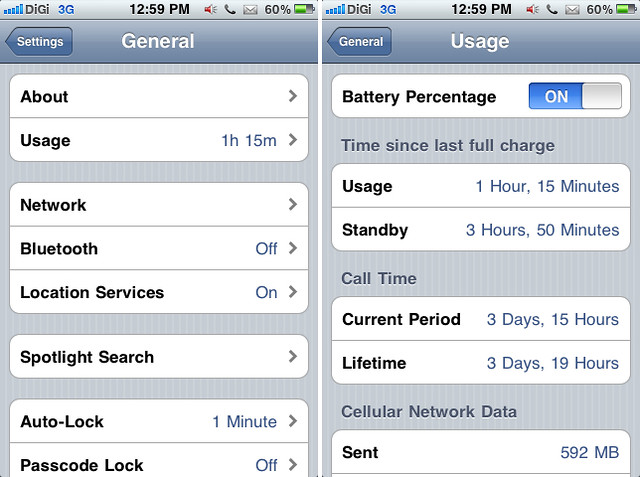
    Go to Setting, then click General, look for Usage, and turn on for Battery Percentage.

    Enjoy your iPhone.

  • Nicholas Chan’s Blog Reviewed By Bloggy Award!

    Check this out, my blog has being reviewed by BloggyAward and got the scores of 8/10. If you want your blog be review by them and added into their directory, you can go here. They will review you and get listed into their directory. It’s kinda cool, I forgot went I submit my blog to them, I just stumble across Technorati and saw my blog being linked by BloggyAward.

    Overall Experience – 8
    The writing isn’t good but since the author is still a student you can expect it to improve in a few years. If you can’t stand to read the posts the blog is still worth visiting if only of the pictures. Nicholas might not turn out to be a writer but he sure could become a professional photographer.

    HAHAHAHAHAHAHA, I hope so.

    CLICK HERE TO CHECK OUT THE REVIEW.

WP2Social Auto Publish Powered By : XYZScripts.com