Tag: How-To

  • How To Get Facebook Timeline Now

    How To Get Facebook Timeline Now

    How To Get Facebook Timeline Now – Facebook just announced a new profile page that is coming soon at the recent Facebook F8 Developer Conference and Mark Zukerberg called it the Facebook Timeline. It has not release yet and no open beta for normal user to try out, however if you have a developer account using Open Graph API, you will be able to try it out first.

    It will be available soon for normal user but if you really want to try out, you can join the developer program too and get your hands on the new Facebook Timeline profile.

    Follow the steps below and you will be in the new Facebook in no time.

    1. Go to Facebook Developer page, you can click here or type “developer” in your Facebook search bar then enable it for your account.

    2. At the Apps page, click on Create New App that we are going to make an app but with no functionality just for trying the new Facebook Timeline.

    3. Type your name or whatever name you want to name for your app at both blank. Please type normal case for App Display Name and small case for App Namespace.

    5. After creating your app, you will be taken to the Open Graph page (if not, you can click Edit App then navigate to Open Graph). Then, define an action for your app, just simply type a verb and noun, just like mine “find (a) job”. Follow the on screen instruction, click Continue and Continue until you are done.

    6. Finally when you are done, go back to your Facebook main page, and you will get an invitation for you to try out the new Facebook Timeline.

    Enjoy. Only people with Facebook Timeline activated can be view your Timeline profile. Pretty right?

  • How to read Chinese in PPS.tv

    How to read Chinese in PPS.tv – PPS.tv is a great Chinese P2P video streaming program, there’s so much show to watch on demand, from Chinese show to American show to Japanese show and more. It’s fast and it’s clear but it’s a Chinese program.

    How to read Chinese in PPS.tv

    A lot of friends have been asking me why they can’t read the word in PPS.tv program, it shows up as square square in the left sidebar. At first I got this problem too, after searching around the Internet, I still got no solution, so I went to mess around with the setting and finally I got it works.

    Fullscreen capture 6162009 102253 PM.bmp by nicholaschan.

    It works the same on Vista and XP. Go to the Control Panel and look for Regional Language Setting.

    Fullscreen capture 6162009 102232 PM.bmp by nicholaschan.

    There’s 4 tab on Vista and 3 tabs on XP in this window. Go to the last tab, then change the Language for non-Unicode program to Chinese (PRC). Restart your computer and you are ready to watch your favourite show now.

    Good luck.

  • How To: Install Facebook For iPad App

     How To: Install Facebook For iPad App

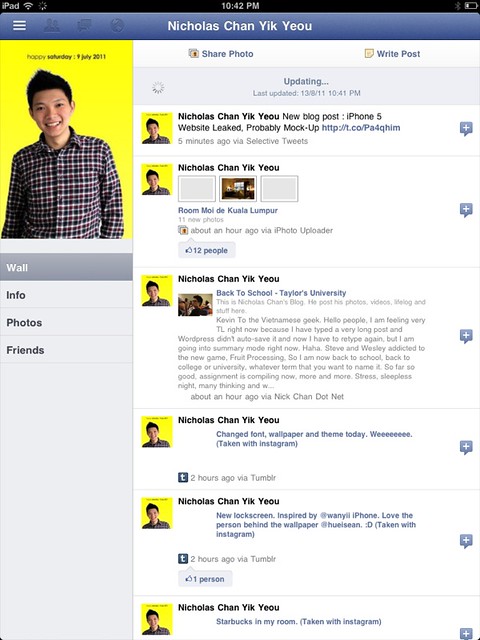
    How To: Install Facebook For iPad App – Facebook has released a leaked version of Facebook for iPad app in July. It was blocked by Facebook in less then a day and I couldn’t login to the Facebook for iPad app anymore. However, I have found a solution on how to access it and have been using it for a few days already.

    Some have ask me where to download the Facebook For iPad app but then you don’t really need to download it as you already have it if you have the latest version of Facebook for iPhone on your iPad. You just need to do some tweak to change your Facebook to the iPad version.

    One thing you must have is a JAILBROKEN iPad. Follow the instruction below to get your Facebook for iPad app. (Thanks to TNW).

    1. Check for updates to make sure you have the latest version of Facebook from the App Store. Also, backup your iPad in iTunes.
    2. Visit jailbreakme.com from your iPad. Jailbreaking your iPad is legal, but voids your warranty if you bring your iPad into an Apple Store. It’s easy to undo if need be. Just pug your iPad into your computer and restore it from your previous backup. (If you are running iOS 4.3.3, this will NOT work.)
    3. Once the jailbreak process is complete, tap on Cydia, that was just installed on your iPad.
    4. Tap the Search tab in Cydia and search for iFile. Download it using the button in the upper right hand corner.
    5. Once iFile installs, open it up, and navigate to the “var” folder of your iPad. Then go to “mobile,” then “applications,” then “directory.”
    6. Click the settings gear icon in the bottom navigation bar and turn “Application Names” to “On.”
    7. Open the Facebook folder within the “directory” folder you’re inside of. Once you’re inside the Facebook folder, open Facebook.app.
    8. Look for the info.plist file, then open it. Pick “Property List Viewver” to view the hexadecimal settings for the Facebook app.
    9. Look for the UIDeviceFamily field and select it.
    10. Delete the 1 you see, and put a 2 in instead. Tap “Done” to complete the process.
    11. Hold down your power button to reboot your iPad.
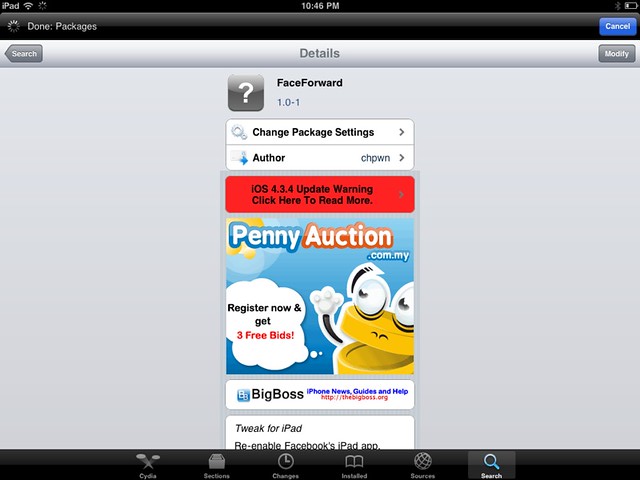
    12. Then go to Cydia again and seach for Faceforward.
    13. Download and install it.
    14. Launch your new Facebook app and you are now in.


    Cydia hack to allow you to login to Facebook.

    It’s a little bit buggy, Page is not working as it crashes but overall it looks good. But if were to compare to MyPad, MyPad seems better than this. Tell me what do you think after trying it.

  • How To Show American TV Series Playlist On PPS / 如何看PPS欧美剧场

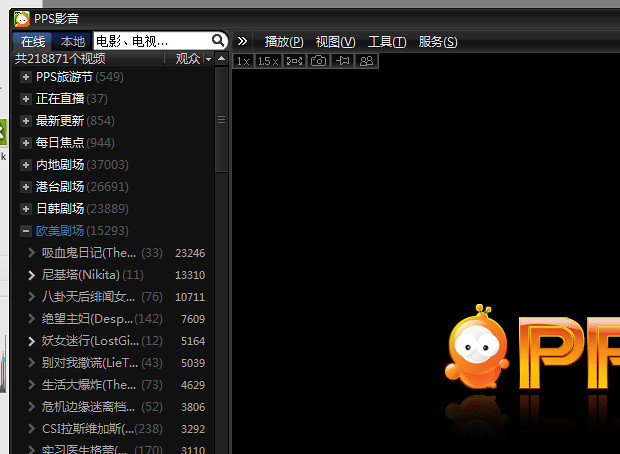
    How To Show American TV Series Playlist On PPS / 如何看PPS欧美剧场 – Due to some copyright infringement, the Chinese top video-on-demand streaming software, PPS.tv removed the playlist of American TV Series (欧美剧场). After some workaround and searching on the Internet, there’s actually a way to go around it and re-show the playlist.

    How To Show American TV Series Playlist On PPS / 如何看PPS欧美剧场

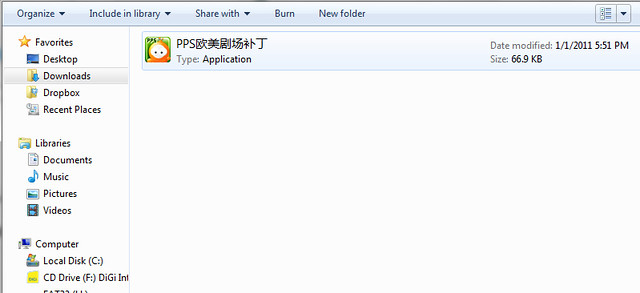
    Just download the patch here. Extract or unzip it, then just run the patch.

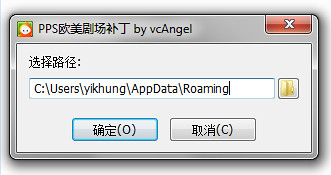
    Fullscreen capture 1232011 93259 PM.bmp by nicholaschan

    Press on the first option which means confirm, then the playlist will be back into your PPS.tv again.

    Fullscreen capture 1232011 93330 PM.bmp by nicholaschan

    Simple as that and they are back. =) Good luck, I don’t know whether PPS.tv will fully removed that or not, so for the mean time, let’s use the patch first.

WP2Social Auto Publish Powered By : XYZScripts.com