Category: Applications

  • Shopback – I Made Almost RM2000 From Shopping

    Shopback – I Made Almost RM2000 From Shopping

    If you are not using Shopback, you have to get on board right now, because it’s very legit that I’ve earned almost RM2000 of cashback just from shopping online! Disclaimer: This is not sponsored by Shopback. I just find that many of my friends are still not on this cashback program yet and I have the obligation to share with all about this.

    Somemore, during this tough period of Covid-19 and economic downturn, we can make as much side income as possible while maintaining life as usual. I love to shop online, especially on Lazada and Shopee to buy small little stuff now and then to fuel my life; yes, I am kind of a material person (I do control my spending though, sometimes). Shopback does a great job crediting small amount of cashback everytime. Best when they have Super Shopback! I’ve get the most cashback from hotel booking, unfortunately this is not the period for travelling!
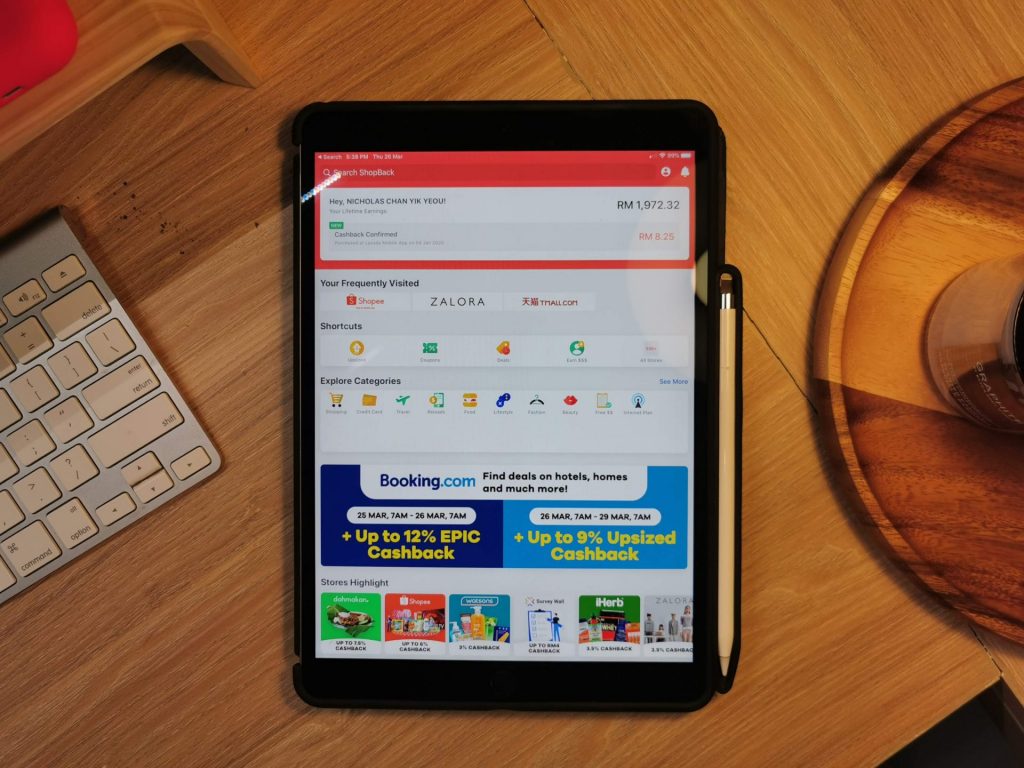
    Friend has been asking if this is a real thing, and I have to share that it’s very legit, just that it takes a while for the cashback amount to show up in your account and take a little extra hassle when doing shopping. You will need to open Shopback app first before going to your favourite shopping app, so two steps here.

    They used to credit the cashback quite quickly but it’d become a longer period now, like 3-4 months. After all, this is free money from your shopping so the surprise feeling when seeing it’s credited after a few months is amazing!

    RinggitOhRinggit has good tips on Shopback that you can check it out too! Even if it’s a small cashback, slowly it will accumulate to a huge amount, as the Malay saying – sedikit-sedikit, lama menjadi bukit.
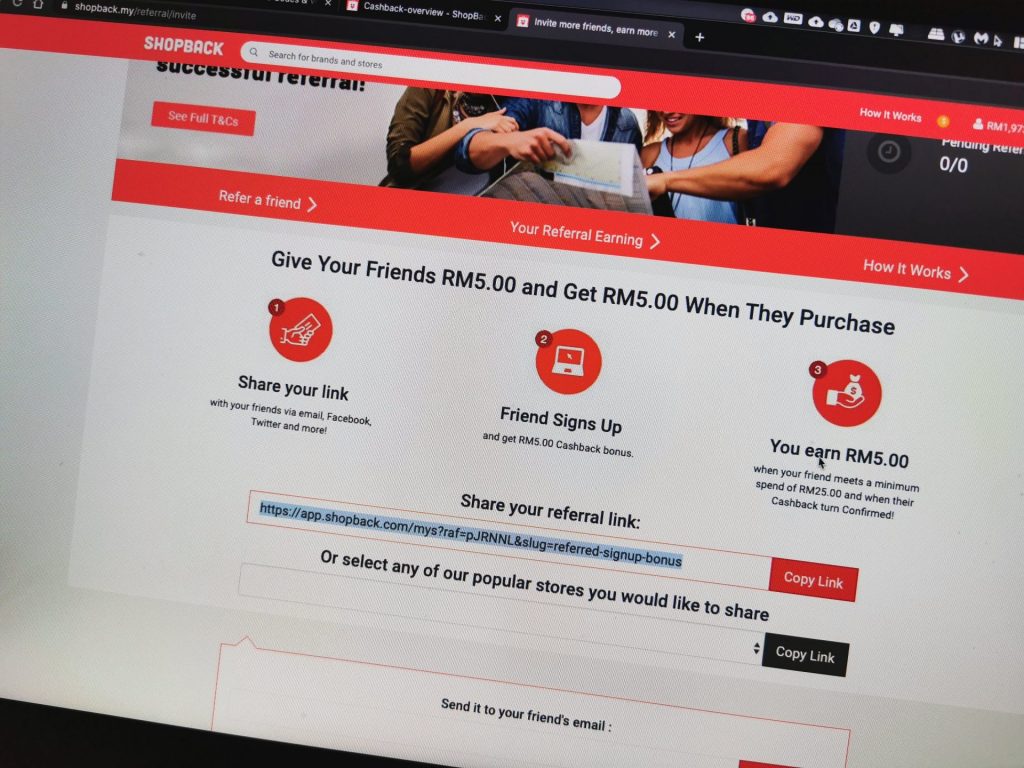
    Share this tips to your friends and family now! You can sign up Shopback via my link and get free RM5 in the account.

  • Instagram For Android, Finally

    Instagram For Android, Finally

    Instagram For Android, Finally

    Instagram For Android, Finally – I should have post this to my tech blog, but I’m just so happy that I want to spread my happiness here. YESSS!!! INSTAGRAM FOR ANDROID IS FINALLY HERRE!!!!! … after so long time of waiting.

    Instagram For Android, Finally
    Big Instagram and small Instagram.

    I was iPhone 3GS user, the camera sucks, and now I am Samsung Galaxy S2, the camera is awesome, and with the release of Instagram, my favourite app, oh yeah! I am so happy, I have been waiting so long. I always wanted an iPhone, just for Instagram but I kinda like Android devices, maybe I am a geek.

    Follow me on Instagram, @nicholaschan, I will follow you back. Download now at Google Play Store via your phone.

    On the other hand…

    I have a UK friend asking me whether is there any flights to Thailand from London? The answer is, YES, INDEED. There’s actually many low-cost flight that flies you to Thailand from London and Europe, and well friend, you have picked an awesome travel destination, Thailand is simply awesome! I miss Thai food now, and Bangkok.

  • PPS.tv Now Available On Mac


    PPS.tv Now Available On Mac
    #1: PPS.tv’s download page.

    PPS.tv Now Available On Mac – After the long wait, PPS.tv, the famous Chinese movie streaming software is now available on the Apple’s Macintosh OS. The software is a P2P movie streaming software which features lots of Asian and International’s movies and drama which can be watched on-demand.

    Screen Shot 2011-10-15 at 1.17.13 PM
    #2: Screenshot of the application.

    It’d been a heat on the Windows. Previously, I watched PPS through Parallel Windows on my Mac but now I have no reason to boot Windows on my Mac to watch it. The whole experience is just the same as the one on Windows if you have used it before. If you haven’t, you should try it out if you can read Chinese.

    Screen Shot 2011-10-15 at 1.16.56 PM
    #3: Icon on the dock.

    Screen Shot 2011-10-15 at 1.16.35 PM
    #4: Installation is simple as ABC.

    Setup is pretty easy, just drag and drop into the Application folder from the *.dmg package. You need not to set anything to display Chinese font and no add-on software, it’s so much easier than on the Windows.

    Enjoy your PPS on Mac now, head over here to download now.

  • Sign Up For Yes Life For Android Beta Tester


    Sign Up For Yes Life For Android Beta Tester

    Sign Up For Yes Life For Android Beta Tester – Yes, one of the 4G broadband provider in Malaysia has open a page for Android user to sign up as beta tester for the upcoming Yes Life for Android. Yes Life app has recently launched on the iOS is now coming to you on the Android smartphone OS.

    Sign Up For Yes Life For Android Beta Tester

    Yes Life app is actually an app that is similar to Skype which allows you to make phone call, receive phone call, and SMS with a Yes ID, which is actually a 018-phone number. It’s useful if you have friends and family who lives oversea and you can call them through a Malaysian number. On the other hand, you can make phone calls on-the-go if you are a Yes broadband user.

    Currently, it only runs on devices running Android 2.1 and above. Since it’s in Beta version, there might be bug and flaws. Do try it at your own risk and I believe the final version is coming very soon.

    Sign up and get your beta version here.


  • NetSentry – Monitor Your Data Usage On Android

    NetSentry – Monitor Your Data Usage On Android – I’ve realized that my Nexus One uses a lot of data. Although I do have a data plan, but sadly, it’s not unlimited, I only have the 500mb data plan and unlimited data plan is rather expensive for Maxis. I turned of Gmail syncing and now it only auto sync Calendar and Contact.

    I need to test use for another month to see whether 500mb is enough for me or not. The only thing I must not do to make sure that I won’t use a lot of data is Youtube, as you know Youtube sucks a lot of data.

    NetSentry - Monitor Your Data Usage On Android

    Unlike my old Nokia N95, there’s no data counter on the Android. But after some searching in the Market, I found an application that can shows how much data you have used and auto resets every month. It’s called NetSentry, better than NetCounter IMO.

    I set 500MB data limit, so I assume there will be a notification when reaching the limit. Hopefully, 500MB is enough for me or Maxis must revise their data plan rate.

    Scan the QR code with your Android barcode reader or click here to download.

  • Download Google+ For Android In Malaysia Now

    [youtube http://www.youtube.com/watch?v=N8gvHaX1cwY&w=640&h=360]

    Download Google+ For Android In Malaysia Now – Google+ For Android app was available in the US region only and now has come to Malaysia. Some people have been using it through manual apk download from the net, but now you can download right from the Malaysia’s Android Market. If you are into Google+ then this is the app for you.

    One question, are you still using Google+?

    [SOURCE]

  • Instagram 2.0 – 4 New Filters, Revamped UI And More

    Instagram 2.0 - 4 New Filters And Revamped UI

    Instagram 2.0 – 4 New Filters And Revamped UI – The fastest growing camera social app on the iOS, Instagram has updated to version 2.0 with lots of update and revamps. The iOS exclusive app added quite a number of new features in this version update which gives you a new Instagram experience, faster and better.

    20110920-tg9yew9bda1tfr8gk6pj7k6br7

    Update includes:

    • Live filter – you get to see what it’s like before pressing the shutter button.
    • Four new filters
    • Instant tilt-shift – tilt-shift in live preview
    • High resolution photos – larger image output
    • Borders now optional
    • One-click rotation
    • New icon!

    Update now to the latest version through iTunes or over the air on your mobile to get all the new features.

    I am a super Instagram fan @nicholaschan and is already playing with the new features.

  • How to read Chinese in PPS.tv

    How to read Chinese in PPS.tv – PPS.tv is a great Chinese P2P video streaming program, there’s so much show to watch on demand, from Chinese show to American show to Japanese show and more. It’s fast and it’s clear but it’s a Chinese program.

    How to read Chinese in PPS.tv

    A lot of friends have been asking me why they can’t read the word in PPS.tv program, it shows up as square square in the left sidebar. At first I got this problem too, after searching around the Internet, I still got no solution, so I went to mess around with the setting and finally I got it works.

    Fullscreen capture 6162009 102253 PM.bmp by nicholaschan.

    It works the same on Vista and XP. Go to the Control Panel and look for Regional Language Setting.

    Fullscreen capture 6162009 102232 PM.bmp by nicholaschan.

    There’s 4 tab on Vista and 3 tabs on XP in this window. Go to the last tab, then change the Language for non-Unicode program to Chinese (PRC). Restart your computer and you are ready to watch your favourite show now.

    Good luck.

  • Watch TVB Series On PPS Without Playlist / 如何看PPS港台剧场

    6

    I was always a fan of the Chinese TV streaming software PPS.tv but not until lately that they started to remove some channel and playlist like the American TV Series (歐美劇場) and now the Hong Kong’s TVB TV Series (港臺劇場). It’s quite sad that I can’t watch most of my favourite show on it.

    This is probably because of copyright issue with the software but I don’t really care, I just want to watch TV series because my country, Malaysia is slow.

    Lately, I have found a solution to watch TVB series on PPS even the playlist is not showing, thanks to RYANTCWBBY.

    Screen shot 2011-04-20 at PM 09.09.12

    Actually RYANTCWBBY is not a plugin or software, it’s a website that provide the secret link to the TVB series playlist in PPS. Basically you don’t really update your playlist but you go to the website to download the link and open on PPS. Here’s the tutorial.

    1. Go to RYANTCWBBY website (Scroll down for new link). Then look for the available TV series on the sidebar that look like this.

    5

    2. Let’s say I want to watch the new 點解阿SIR係阿SIR, I click on the link picture then I will be brought into the other page. Scroll down and you will see the below screen shot. Select your option, IE-based is for Internet Explorer user and Non-IE for Firefox and other user like me.

    Screen shot 2011-04-20 at PM 09.09.36

    3. Then a pop-up will ask you to launch PPS TV software. No need to download anything. That’s all. Simple enough.

    Screen shot 2011-04-20 at PM 09.09.53

    4. Finally, start watching your TVB, streaming from PPS server, but without finding it in the playlist.

    Enjoy TVB series and thanks to RYANTCWBBY. =)

    UPDATE! RYANTCWBBY CHANGED TO PPSX

    New update for the site. RYANTCWBBY has change their link to PPSX.co.cc. Be sure to change your bookmark. =)

    Screen shot 2011-05-19 at PM 09.11.32

    It’s the same thing and happy watching! =)

    1. Go to RYANTCWBBY website. Then look for the available TV series on the sidebar that look like this.
  • How To: Install Facebook For iPad App

     How To: Install Facebook For iPad App

    How To: Install Facebook For iPad App – Facebook has released a leaked version of Facebook for iPad app in July. It was blocked by Facebook in less then a day and I couldn’t login to the Facebook for iPad app anymore. However, I have found a solution on how to access it and have been using it for a few days already.

    Some have ask me where to download the Facebook For iPad app but then you don’t really need to download it as you already have it if you have the latest version of Facebook for iPhone on your iPad. You just need to do some tweak to change your Facebook to the iPad version.

    One thing you must have is a JAILBROKEN iPad. Follow the instruction below to get your Facebook for iPad app. (Thanks to TNW).

    1. Check for updates to make sure you have the latest version of Facebook from the App Store. Also, backup your iPad in iTunes.
    2. Visit jailbreakme.com from your iPad. Jailbreaking your iPad is legal, but voids your warranty if you bring your iPad into an Apple Store. It’s easy to undo if need be. Just pug your iPad into your computer and restore it from your previous backup. (If you are running iOS 4.3.3, this will NOT work.)
    3. Once the jailbreak process is complete, tap on Cydia, that was just installed on your iPad.
    4. Tap the Search tab in Cydia and search for iFile. Download it using the button in the upper right hand corner.
    5. Once iFile installs, open it up, and navigate to the “var” folder of your iPad. Then go to “mobile,” then “applications,” then “directory.”
    6. Click the settings gear icon in the bottom navigation bar and turn “Application Names” to “On.”
    7. Open the Facebook folder within the “directory” folder you’re inside of. Once you’re inside the Facebook folder, open Facebook.app.
    8. Look for the info.plist file, then open it. Pick “Property List Viewver” to view the hexadecimal settings for the Facebook app.
    9. Look for the UIDeviceFamily field and select it.
    10. Delete the 1 you see, and put a 2 in instead. Tap “Done” to complete the process.
    11. Hold down your power button to reboot your iPad.
    12. Then go to Cydia again and seach for Faceforward.
    13. Download and install it.
    14. Launch your new Facebook app and you are now in.


    Cydia hack to allow you to login to Facebook.

    It’s a little bit buggy, Page is not working as it crashes but overall it looks good. But if were to compare to MyPad, MyPad seems better than this. Tell me what do you think after trying it.

WP2Social Auto Publish Powered By : XYZScripts.com