Tag: social network

  • Facebook Timeline – The New Facebook Profile

    Facebook Timeline - The New Facebook Profile

    Facebook Timeline – The New Facebook Profile – In the previous post, I wrote about How To Get Facebook Timeline. Now I would like to tell you what is this Timeline all about. Just yesterday at Facebook F8 Developer Conference, Mark Zukerberg announced several new features for the Facebook, one of which is the Facebook Timeline profile.
    Screen Shot 2011-09-23 at 3.44.21 PM

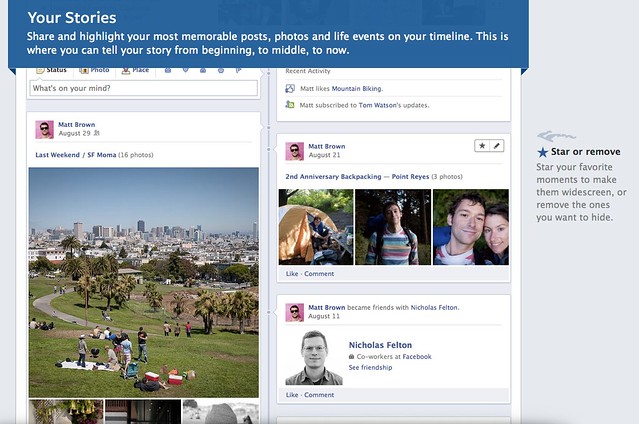
    Timeline is the new Facebook profile that tell the story of your life in a timeline view. It’s a complete redesign of the current profile page, with your wall posts and updates posted side by side down to the screen. It’s easier to find older post than before that you can just click on the month or year of the post you want to look.
    Screen Shot 2011-09-23 at 3.44.33 PM

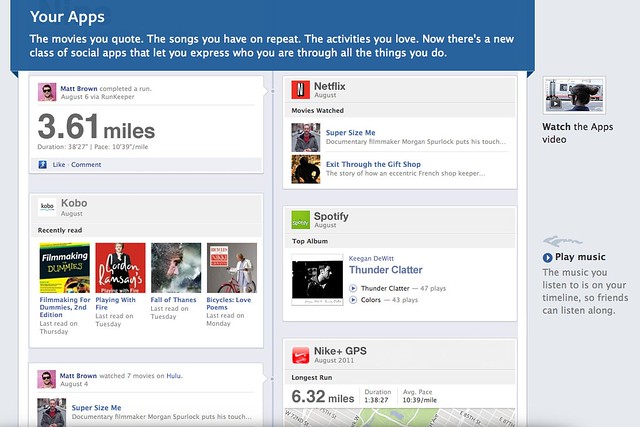
    It’s something that you can record your memory or just like your historical scrapbook. You share your photos, or even do more with Apps like you can share the songs you are listening, the movie you are watching, a book that you are reading or even your running tracks.
     

    Screen Shot 2011-09-23 at 3.44.08 PM

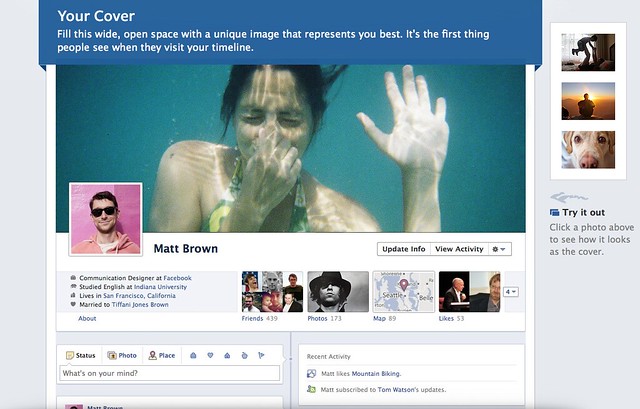
    Everything become more social. The interface is really cool with a featured cover photo at the top which you can change anytime. The cover photo is for you to show the people who you really are, like showing your favourite traveling photo, put a delicious food photo to show that you like to eat, a huge profile picture of you or anything you just like.

    [youtube http://www.youtube.com/watch?v=hzPEPfJHfKU]

    The interface is nice, somehow privacy get exposed as people can stalk and read about you easily. So hopefully Facebook will do something to protect the privacy of the user too. Do tell me what you think in the comment.

    If you want to activate the new Timeline feature, check out this post.

  • How To: Install Facebook For iPad App

     How To: Install Facebook For iPad App

    How To: Install Facebook For iPad App – Facebook has released a leaked version of Facebook for iPad app in July. It was blocked by Facebook in less then a day and I couldn’t login to the Facebook for iPad app anymore. However, I have found a solution on how to access it and have been using it for a few days already.

    Some have ask me where to download the Facebook For iPad app but then you don’t really need to download it as you already have it if you have the latest version of Facebook for iPhone on your iPad. You just need to do some tweak to change your Facebook to the iPad version.

    One thing you must have is a JAILBROKEN iPad. Follow the instruction below to get your Facebook for iPad app. (Thanks to TNW).

    1. Check for updates to make sure you have the latest version of Facebook from the App Store. Also, backup your iPad in iTunes.
    2. Visit jailbreakme.com from your iPad. Jailbreaking your iPad is legal, but voids your warranty if you bring your iPad into an Apple Store. It’s easy to undo if need be. Just pug your iPad into your computer and restore it from your previous backup. (If you are running iOS 4.3.3, this will NOT work.)
    3. Once the jailbreak process is complete, tap on Cydia, that was just installed on your iPad.
    4. Tap the Search tab in Cydia and search for iFile. Download it using the button in the upper right hand corner.
    5. Once iFile installs, open it up, and navigate to the “var” folder of your iPad. Then go to “mobile,” then “applications,” then “directory.”
    6. Click the settings gear icon in the bottom navigation bar and turn “Application Names” to “On.”
    7. Open the Facebook folder within the “directory” folder you’re inside of. Once you’re inside the Facebook folder, open Facebook.app.
    8. Look for the info.plist file, then open it. Pick “Property List Viewver” to view the hexadecimal settings for the Facebook app.
    9. Look for the UIDeviceFamily field and select it.
    10. Delete the 1 you see, and put a 2 in instead. Tap “Done” to complete the process.
    11. Hold down your power button to reboot your iPad.
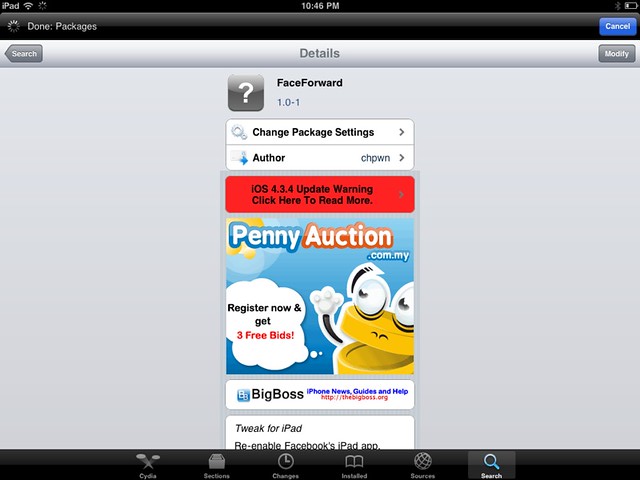
    12. Then go to Cydia again and seach for Faceforward.
    13. Download and install it.
    14. Launch your new Facebook app and you are now in.


    Cydia hack to allow you to login to Facebook.

    It’s a little bit buggy, Page is not working as it crashes but overall it looks good. But if were to compare to MyPad, MyPad seems better than this. Tell me what do you think after trying it.

WP2Social Auto Publish Powered By : XYZScripts.com