Tag: Guide

  • Watch TVB Series On PPS Without Playlist / 如何看PPS港台剧场

    6

    I was always a fan of the Chinese TV streaming software PPS.tv but not until lately that they started to remove some channel and playlist like the American TV Series (歐美劇場) and now the Hong Kong’s TVB TV Series (港臺劇場). It’s quite sad that I can’t watch most of my favourite show on it.

    This is probably because of copyright issue with the software but I don’t really care, I just want to watch TV series because my country, Malaysia is slow.

    Lately, I have found a solution to watch TVB series on PPS even the playlist is not showing, thanks to RYANTCWBBY.

    Screen shot 2011-04-20 at PM 09.09.12

    Actually RYANTCWBBY is not a plugin or software, it’s a website that provide the secret link to the TVB series playlist in PPS. Basically you don’t really update your playlist but you go to the website to download the link and open on PPS. Here’s the tutorial.

    1. Go to RYANTCWBBY website (Scroll down for new link). Then look for the available TV series on the sidebar that look like this.

    5

    2. Let’s say I want to watch the new 點解阿SIR係阿SIR, I click on the link picture then I will be brought into the other page. Scroll down and you will see the below screen shot. Select your option, IE-based is for Internet Explorer user and Non-IE for Firefox and other user like me.

    Screen shot 2011-04-20 at PM 09.09.36

    3. Then a pop-up will ask you to launch PPS TV software. No need to download anything. That’s all. Simple enough.

    Screen shot 2011-04-20 at PM 09.09.53

    4. Finally, start watching your TVB, streaming from PPS server, but without finding it in the playlist.

    Enjoy TVB series and thanks to RYANTCWBBY. =)

    UPDATE! RYANTCWBBY CHANGED TO PPSX

    New update for the site. RYANTCWBBY has change their link to PPSX.co.cc. Be sure to change your bookmark. =)

    Screen shot 2011-05-19 at PM 09.11.32

    It’s the same thing and happy watching! =)
    1. Go to RYANTCWBBY website. Then look for the available TV series on the sidebar that look like this.
  • How To Show American TV Series Playlist On PPS / 如何看PPS欧美剧场

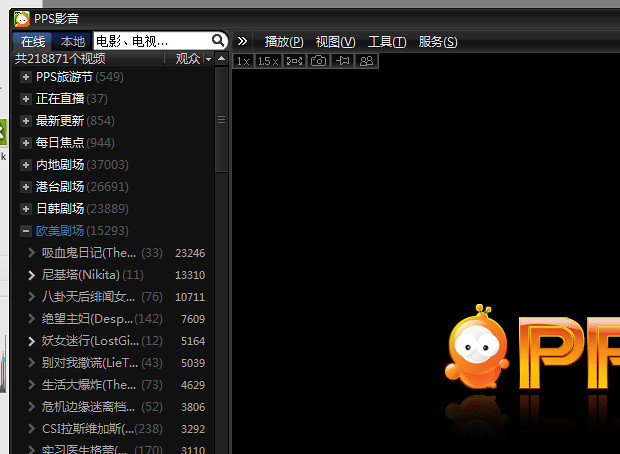
    How To Show American TV Series Playlist On PPS / 如何看PPS欧美剧场 – Due to some copyright infringement, the Chinese top video-on-demand streaming software, PPS.tv removed the playlist of American TV Series (欧美剧场). After some workaround and searching on the Internet, there’s actually a way to go around it and re-show the playlist.

    How To Show American TV Series Playlist On PPS / 如何看PPS欧美剧场

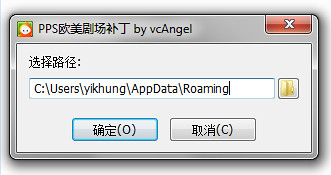
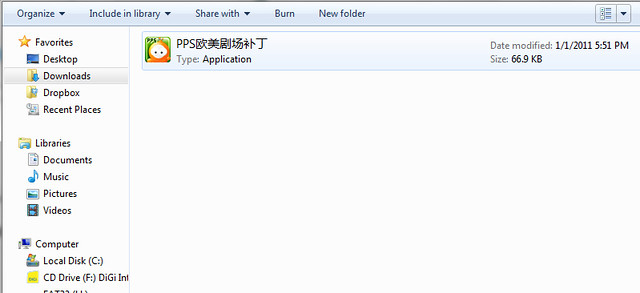
    Just download the patch here. Extract or unzip it, then just run the patch.

    Fullscreen capture 1232011 93259 PM.bmp by nicholaschan

    Press on the first option which means confirm, then the playlist will be back into your PPS.tv again.

    Fullscreen capture 1232011 93330 PM.bmp by nicholaschan

    Simple as that and they are back. =) Good luck, I don’t know whether PPS.tv will fully removed that or not, so for the mean time, let’s use the patch first.

  • How To: Show Battery Percentage Indicator On iPhone

    How To: Show Battery Percentage Indicator On iPhone

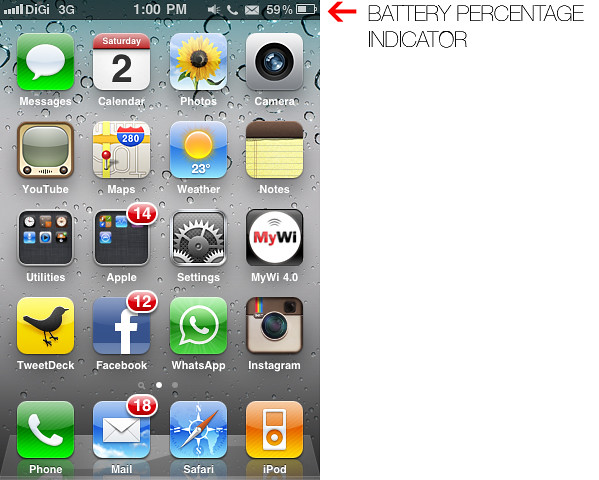
    How To: Show Battery Percentage Indicator On iPhone – iPhone’s battery runs out quite quickly when running different apps and usage. Having a percentage indicator for the battery icon on the top right corner of the screen gives you better indication on how much battery you have left and give you a guide of when it will be running out and when to charge your iPhone.

    By default, the percentage indicator is not turn on and you have to turn it on in the Setting.

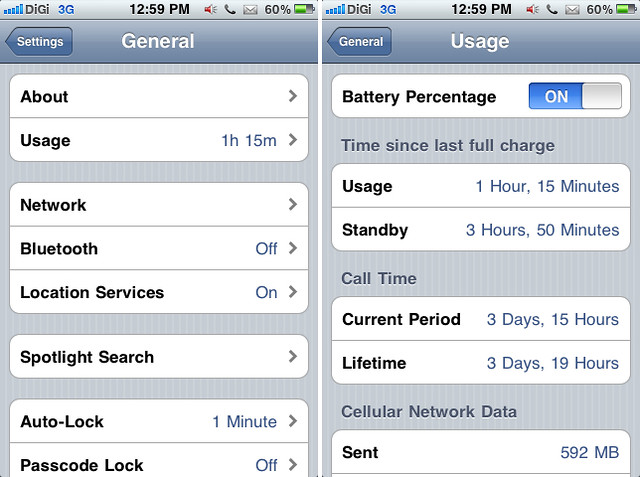
    Here’s HOW you can turn on the percentage indicator for your iPhone.

    IMG_1132

    Go to Setting, then click General, look for Usage, and turn on for Battery Percentage.

    Enjoy your iPhone.

WP2Social Auto Publish Powered By : XYZScripts.com