Category: Mobile

  • Japanese Funny And Awesome Windows Phone Commercial

    Japanese Funny And Awesome Windows Phone Commercial

    Japanese Funny And Awesome Windows Phone CommercialMobile phone‘s TV commercials are always very standard, like showing off the features, the design and that’s all. The Japanese is really good at producing TV commercial and check out this Windows Phone commercial which I think it’s real funny and awesome. Most important is that the funny moment keeps playing in my head which makes their ad successful.

    [youtube http://www.youtube.com/watch?v=EIz4C93i-U8&w=640&h=390]

    Although it’s still showing off its feature design and more, though it’s very innovative that finding a comedian/joker to talk about the phone. Look at his expression, his action and his way of talking, really funny.

  • Malaysia Nokia N9 Price Announed And Available October 2011

    Screen Shot 2011-09-14 at 4.42.13 PM

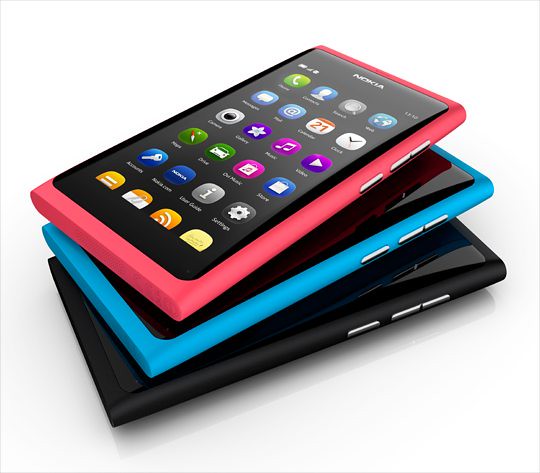
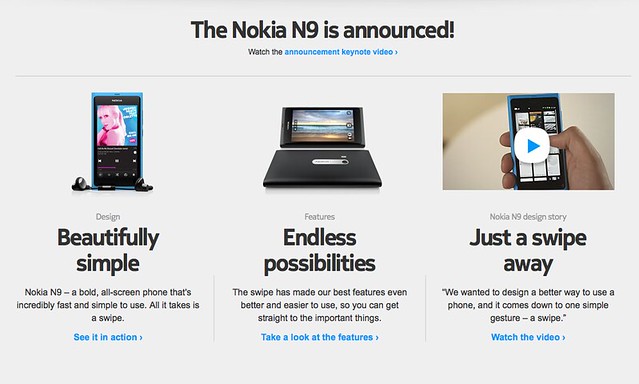
    Malaysia Nokia N9 Price Announed And Available October 2011Nokia Malaysia has recently launched the Nokia N9 officially. Nokia N9 is the first MeeGo (MeeGo is an operating system like Android and iOS) phone and probably the last because Nokia is moving towards Windows Phone and is set to launch somewhere early October 2011.

    110622-nokia-n9-01

    During the recent launch event, Nokia announced the price and availability in Malaysia. It’s retailed at price:

    • Nokia N9 16GB – RM1799
    • Nokia N9 64GB – RM2088
    • *Available in 3 colours – black, cyan and magenta.

    The price is pretty acceptable and there’s no news about 32GB, it’s a big bump up to 64GB after the 16GB version which provide you plenty of mobile storage on the go.

    Maxis, DiGi and Celcom will offer package for the Nokia N9, but details are yet to available.

    Are you interested in the MeeGo Nokia N9? Personally, I am waiting for the next iPhone.

  • How To: Install Facebook For iPad App

     How To: Install Facebook For iPad App

    How To: Install Facebook For iPad App – Facebook has released a leaked version of Facebook for iPad app in July. It was blocked by Facebook in less then a day and I couldn’t login to the Facebook for iPad app anymore. However, I have found a solution on how to access it and have been using it for a few days already.
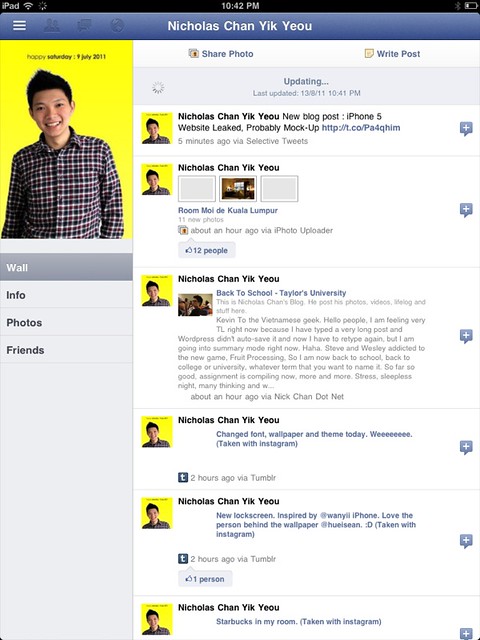
    Some have ask me where to download the Facebook For iPad app but then you don’t really need to download it as you already have it if you have the latest version of Facebook for iPhone on your iPad. You just need to do some tweak to change your Facebook to the iPad version.

    One thing you must have is a JAILBROKEN iPad. Follow the instruction below to get your Facebook for iPad app. (Thanks to TNW).

    1. Check for updates to make sure you have the latest version of Facebook from the App Store. Also, backup your iPad in iTunes.
    2. Visit jailbreakme.com from your iPad. Jailbreaking your iPad is legal, but voids your warranty if you bring your iPad into an Apple Store. It’s easy to undo if need be. Just pug your iPad into your computer and restore it from your previous backup. (If you are running iOS 4.3.3, this will NOT work.)
    3. Once the jailbreak process is complete, tap on Cydia, that was just installed on your iPad.
    4. Tap the Search tab in Cydia and search for iFile. Download it using the button in the upper right hand corner.
    5. Once iFile installs, open it up, and navigate to the “var” folder of your iPad. Then go to “mobile,” then “applications,” then “directory.”
    6. Click the settings gear icon in the bottom navigation bar and turn “Application Names” to “On.”
    7. Open the Facebook folder within the “directory” folder you’re inside of. Once you’re inside the Facebook folder, open Facebook.app.
    8. Look for the info.plist file, then open it. Pick “Property List Viewver” to view the hexadecimal settings for the Facebook app.
    9. Look for the UIDeviceFamily field and select it.
    10. Delete the 1 you see, and put a 2 in instead. Tap “Done” to complete the process.
    11. Hold down your power button to reboot your iPad.
    12. Then go to Cydia again and seach for Faceforward.
    13. Download and install it.
    14. Launch your new Facebook app and you are now in.
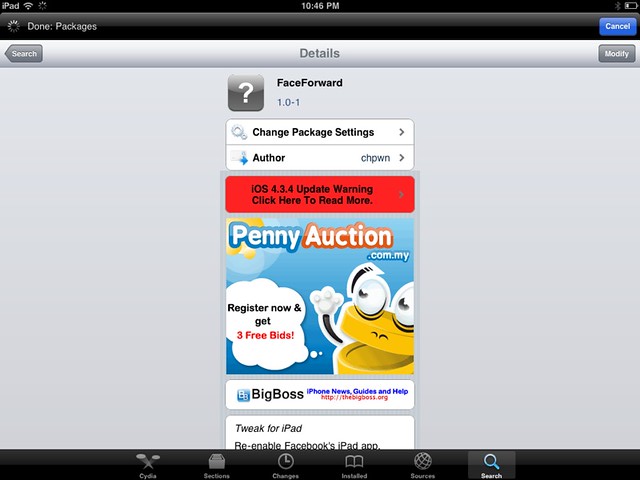

    Cydia hack to allow you to login to Facebook.

    It’s a little bit buggy, Page is not working as it crashes but overall it looks good. But if were to compare to MyPad, MyPad seems better than this. Tell me what do you think after trying it.

  • Free iSMS, threaded text message on Nokia S60

    Free iSMS, threaded text message on Nokia S60

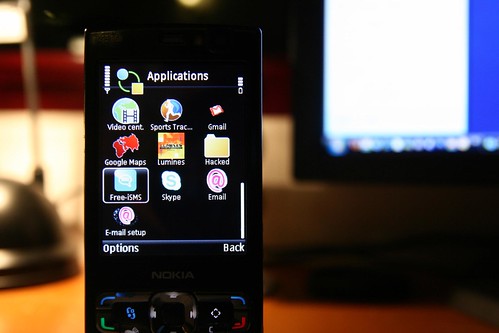
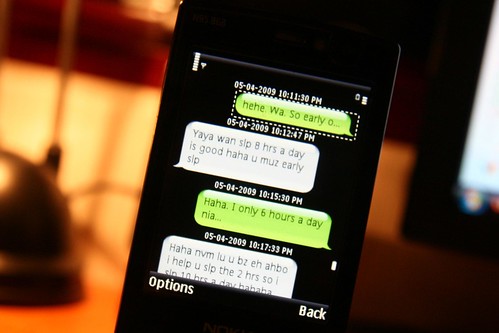
    Free iSMS, threaded text message on Nokia S60 – I just installed a new software into my N95 8GB S60 platform, it’s the Free iSMS. This makes text messaging funner and more addictive than ever with the threaded text message that looks like on the iPhone SMS system.

    IMG_0774

    I have been looking for such thing for some times and finally I have found it and it does really exist by the way. It threads messages of the same sender into speech bubble so it looks like we are instant messaging to each other.

    You still can access your phone inbox, but I tend to stick with this most of the time. I even put a shorcut on my standby screen for Free iSMS.

    Warning: Addicted to text messages will boom your phone bill. Be sure to check out for unlimited text messages plan like Digi Prepaid Super SMS. =) (free promotion for Digi because they are doing a good job on this.)

    Download here. [For Symbian S60 v3 and v5]

  • How To: Show Battery Percentage Indicator On iPhone

    How To: Show Battery Percentage Indicator On iPhone

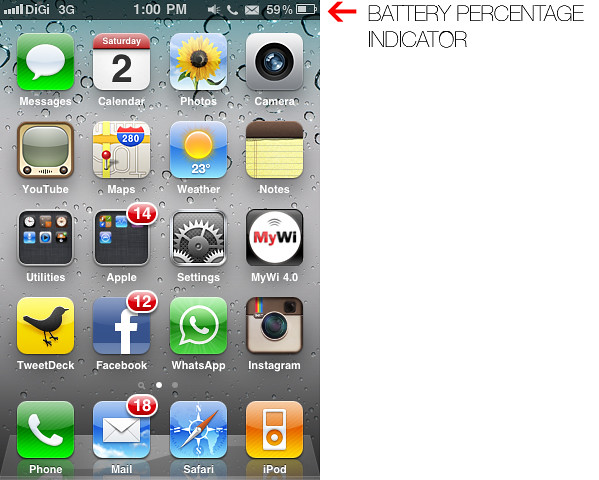
    How To: Show Battery Percentage Indicator On iPhone – iPhone’s battery runs out quite quickly when running different apps and usage. Having a percentage indicator for the battery icon on the top right corner of the screen gives you better indication on how much battery you have left and give you a guide of when it will be running out and when to charge your iPhone.

    By default, the percentage indicator is not turn on and you have to turn it on in the Setting.

    Here’s HOW you can turn on the percentage indicator for your iPhone.

    IMG_1132

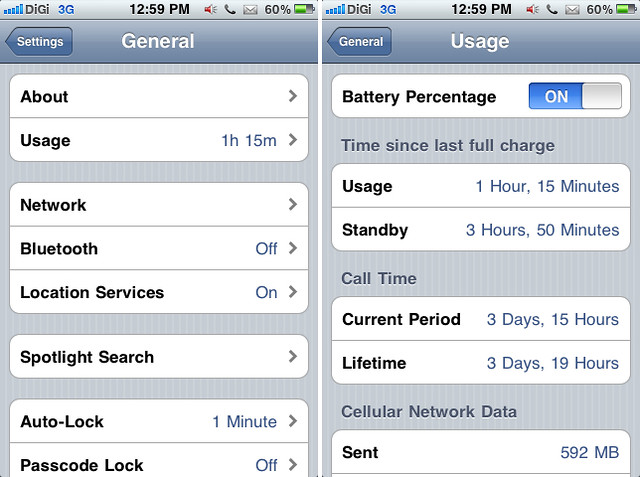
    Go to Setting, then click General, look for Usage, and turn on for Battery Percentage.

    Enjoy your iPhone.

WP2Social Auto Publish Powered By : XYZScripts.com